The best Apple Music stats apps in 2026
Listenality, stats.fm and musicat support imported Apple Music history; PlayTally builds a log from setup. Song Stats focuses on library counts and skips, while Finale sends plays to Last.fm.
We make Listenality. This comparison uses product features and publisher documentation. US prices checked October 1, 2026.
Start with the stats you need
- History before installationRequires an Apple data export
- Listenality · musicat · stats.fm
- Ongoing play trackingTracking methods and coverage differ
- Listenality · musicat · PlayTally · stats.fm
- Library counts and skipsInspect the music in your library
- Song Stats
- Recaps and reportsSummaries across weeks, months or years
- Listenality · Song Stats · stats.fm
- A Last.fm listening logSubmit plays through a scrobbler
- Last.fm + Finale
Library stats, imported history and ongoing tracking.
- Good for: Top artists, genres and listening trends, plus personal reads, recaps, roasts and sharing.
- Keep in mind: Older history needs an export; ongoing coverage and timestamps depend on the source.
- Cost: Free trial. $2.92/mo ($34.99 billed yearly), or $4.99 monthly.
More about Listenality
Listenality combines device play counts for saved tracks with Apple’s recent-play feed, which also picks up unsaved tracks. Import Apple’s data export for older dated plays. The import receipt reports how many rows matched.
Apple Music gets weekly and monthly recaps. Personal reads and a roast explain patterns in your music, and taste and recap cards can be shared. Plus includes the year-end recap. YouTube Music uses fresh Takeout imports for monthly recaps on iPhone; on Android, enabled play tracking supplies new plays.
Available on iPhone for Apple Music and YouTube Music, and on Android for YouTube Music. The free trial needs no card. Afterwards, Taste remains as a frozen snapshot; Plus keeps stats updating and opens recaps and imports. The year-end recap requires Plus even during the trial.
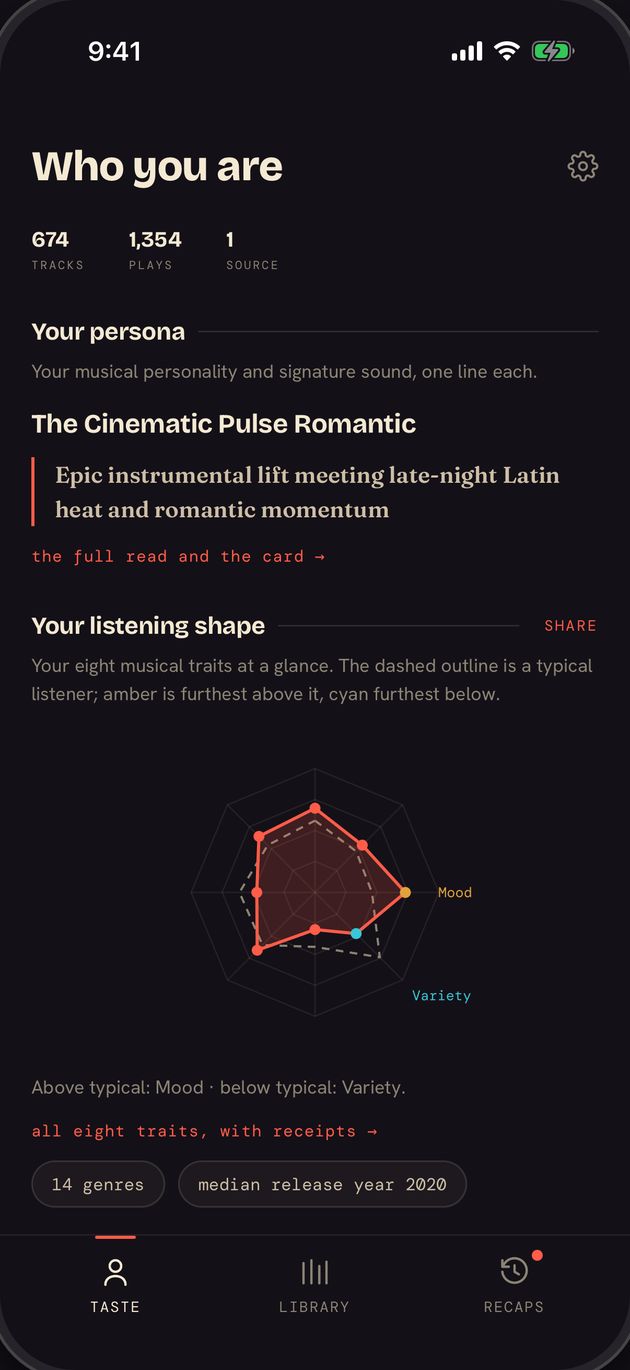
Explore your listening history with friends.
- Good for: Lifetime stats after import and comparisons with friends.
- Keep in mind: Older history needs Apple’s data export; some features require Plus.
- Cost: Free; Plus purchases $4.99 to $20.99 (billing periods not listed).
More about stats.fm for Apple Music
From the team behind the Spotify stats app, stats.fm for Apple Music shows most-played tracks, artists and albums, listening clocks and charts, badges, and lets you compare stats with friends. Core stats are free. Plus unlocks full history and deeper analytics. It requires an active Apple Music subscription.
Where it wins: a large existing community and friend comparisons. The catch: lifetime stats need a one-time import of Apple's listening history, so you wait for Apple to prepare your data copy first, and its rating (3.7) is the lowest in the comparison table.
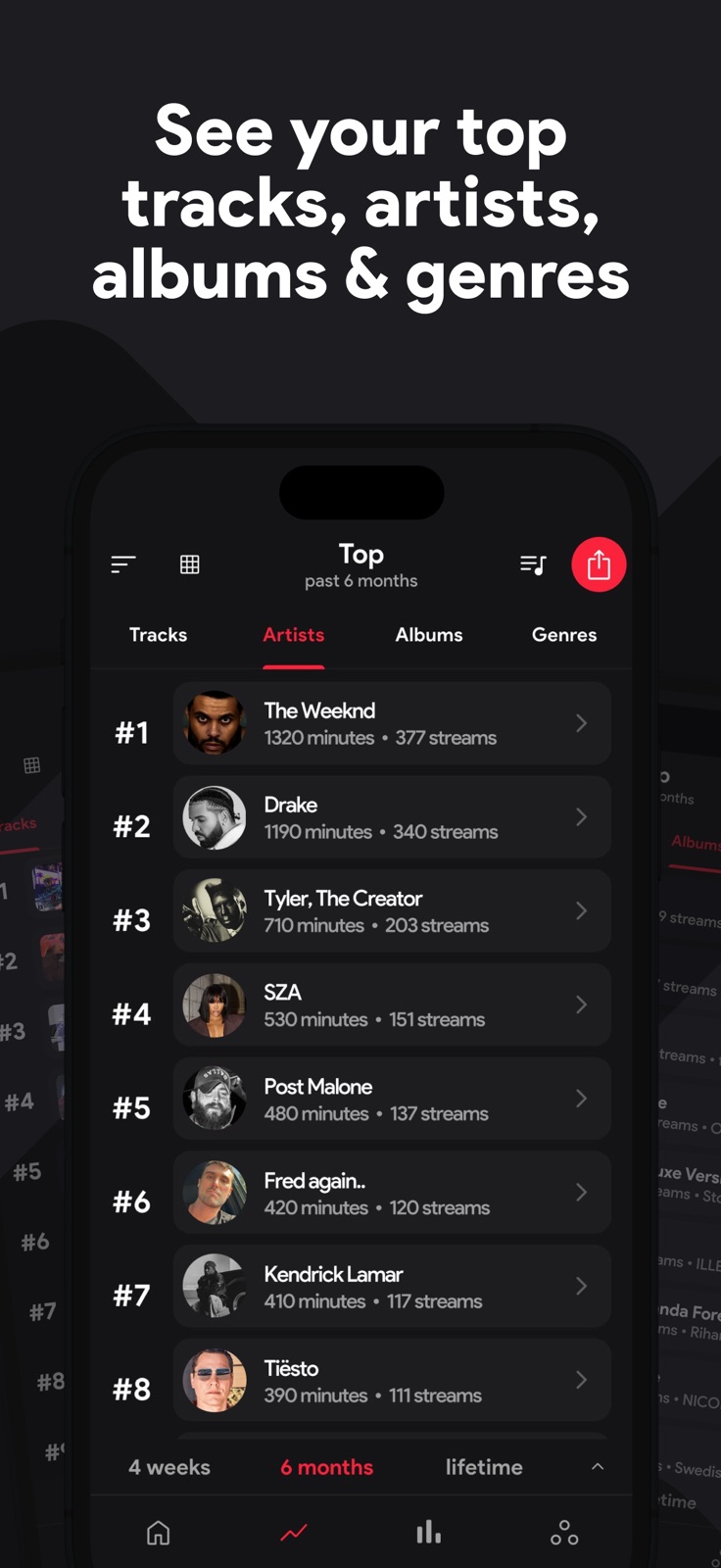
Build a play log from today.
- Good for: Tracking over a chosen date range and excluding unwanted tracks.
- Keep in mind: It cannot reconstruct plays from before installation and needs regular scans.
- Cost: $2.99 once, with optional tips.
More about PlayTally
PlayTally keeps its own play log. Pick any date range and see your top tracks for it. It syncs across devices through iCloud, lets you hide white noise and sleep sounds, exports to CSV, and collects no data. It is a one-time $2.99 with no subscription.
Where it wins: if you want a listening log built from the day you install, PlayTally is designed for that workflow. The catch: its own page says it cannot reconstruct history from before install, and it asks you to open it regularly (it suggests an automated shortcut) so it can scan your library.
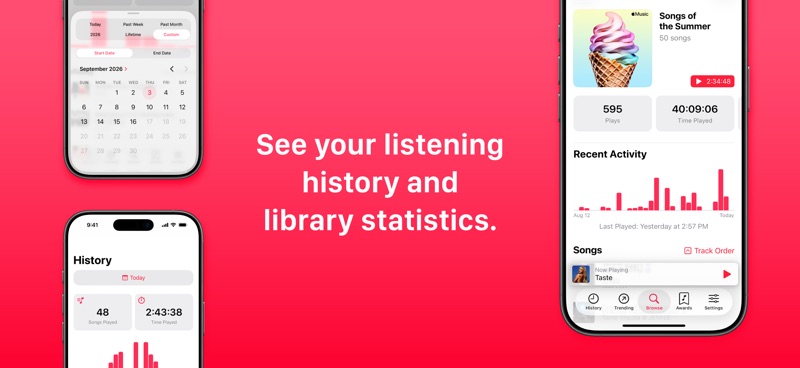
Look closer at play counts and skips.
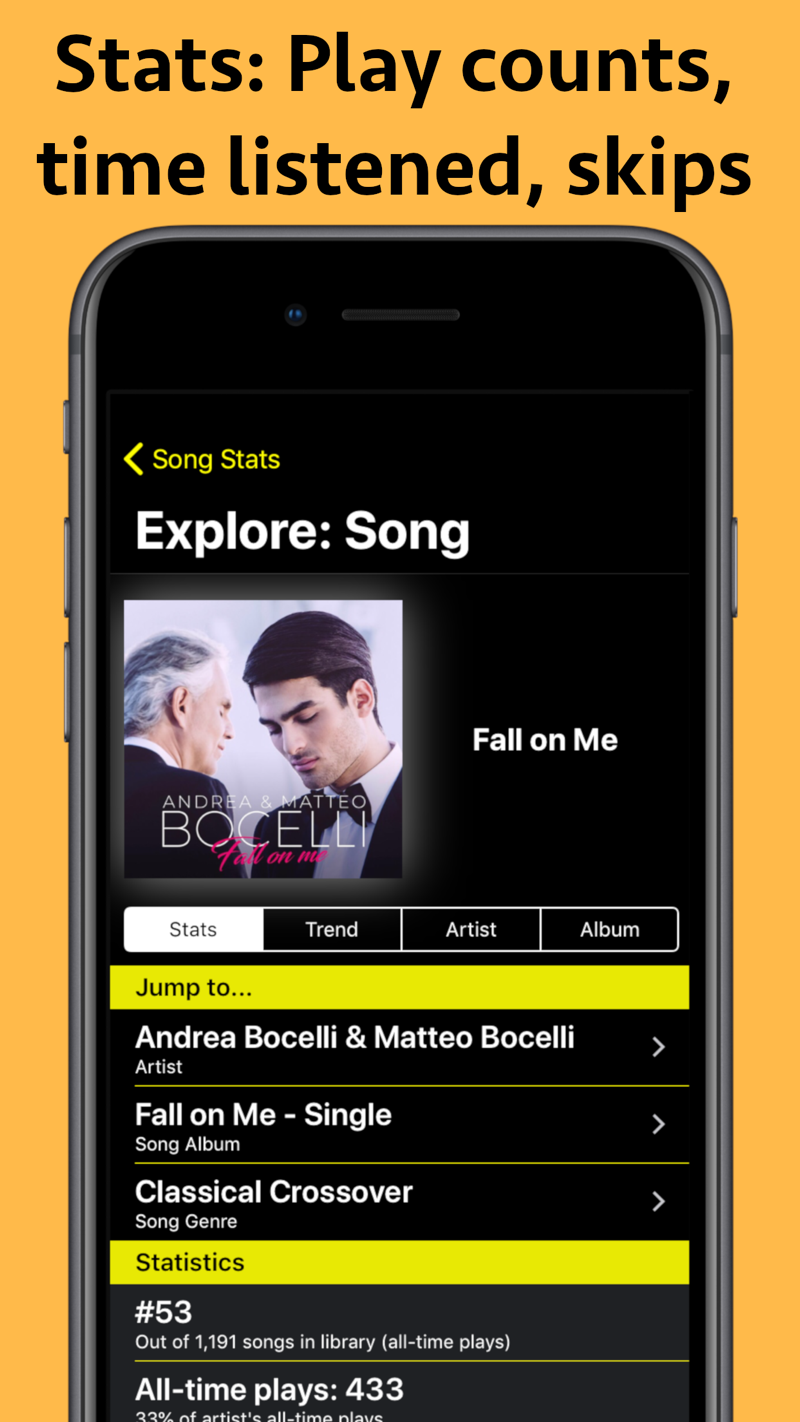
- Good for: Sorting the library by play counts, listening time and skips.
- Keep in mind: The listing describes completed-play counts; that differs from some other counting methods.
- Cost: Free; Premium $1.99/mo or a $4.99 to $7.99 permanent unlock.
More about Song Stats
Song Stats ranks your library by play count, time listened or skips, draws graphs, and builds weekly, monthly and yearly reports. It counts completed plays only, which its page contrasts with Replay counting incomplete streams. Where it wins: skip data and deep filtering of your own library.
Share ratings and music discoveries.
- Good for: Music ratings, a social feed, ongoing tracking and history imports.
- Keep in mind: Apple Music history imports need a paid plan; on-device tracking must be enabled.
- Cost: Free; paid options $2.99 to $23.99 (billing periods not listed).
More about musicat
musicat connects to Apple Music or Spotify and describes itself as a real-time Wrapped you can check any day. It adds a social feed, album and track ratings from 1 to 10, and Song and Album of the Year picks. Where it wins: the highest rating in this list (4.7) and the most social features. It needs iOS 26 or later.
Its Apple Music setup guide documents server and on-device tracking, plus imports of older listening on a paid plan. Device tracking starts only when you enable it.
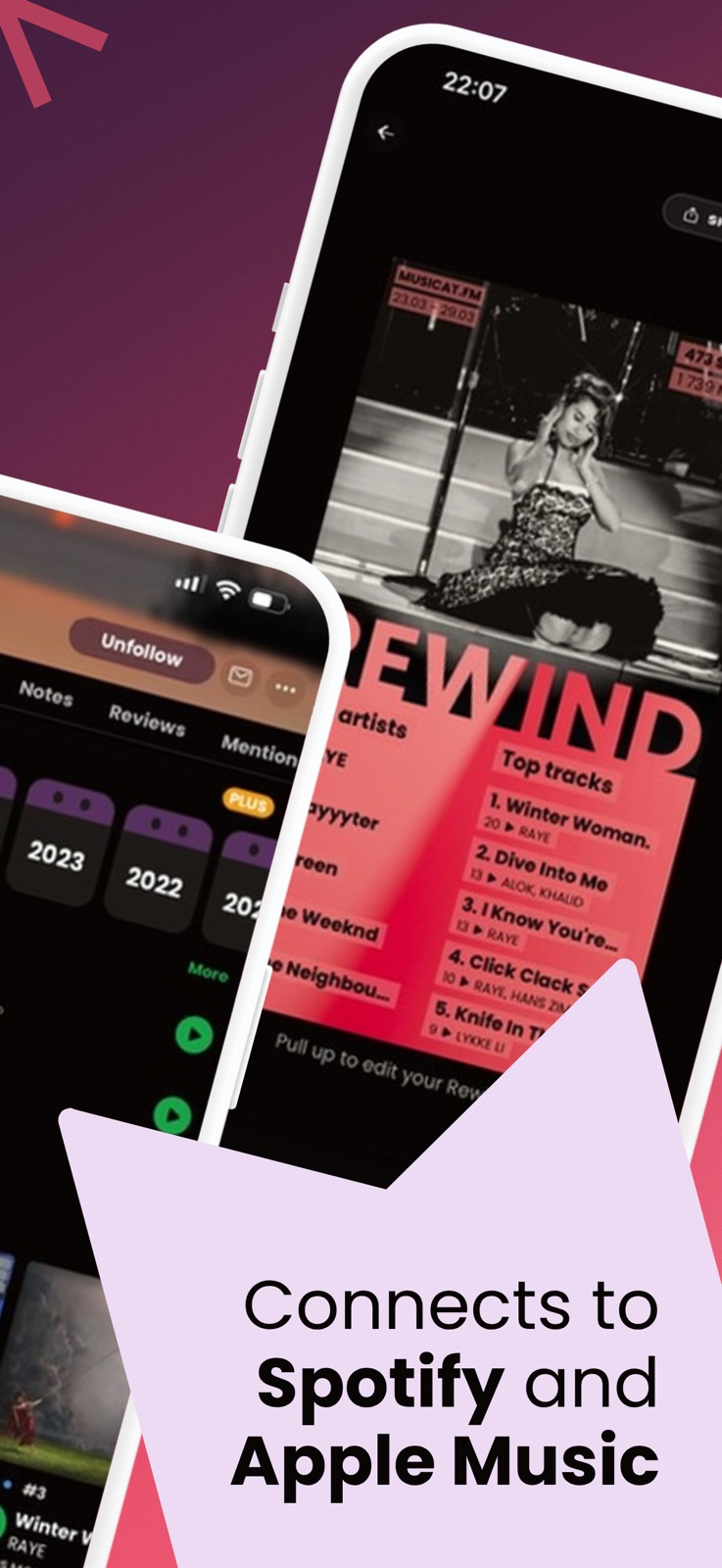
Keep a listening log across services.
- Good for: Scrobbling to Last.fm with an Apple Music client such as Finale.
- Keep in mind: Setup starts the log; the listing does not promise continuous real-time submission.
- Cost: Free for Finale and basic Last.fm scrobbling.
More about Last.fm + Finale
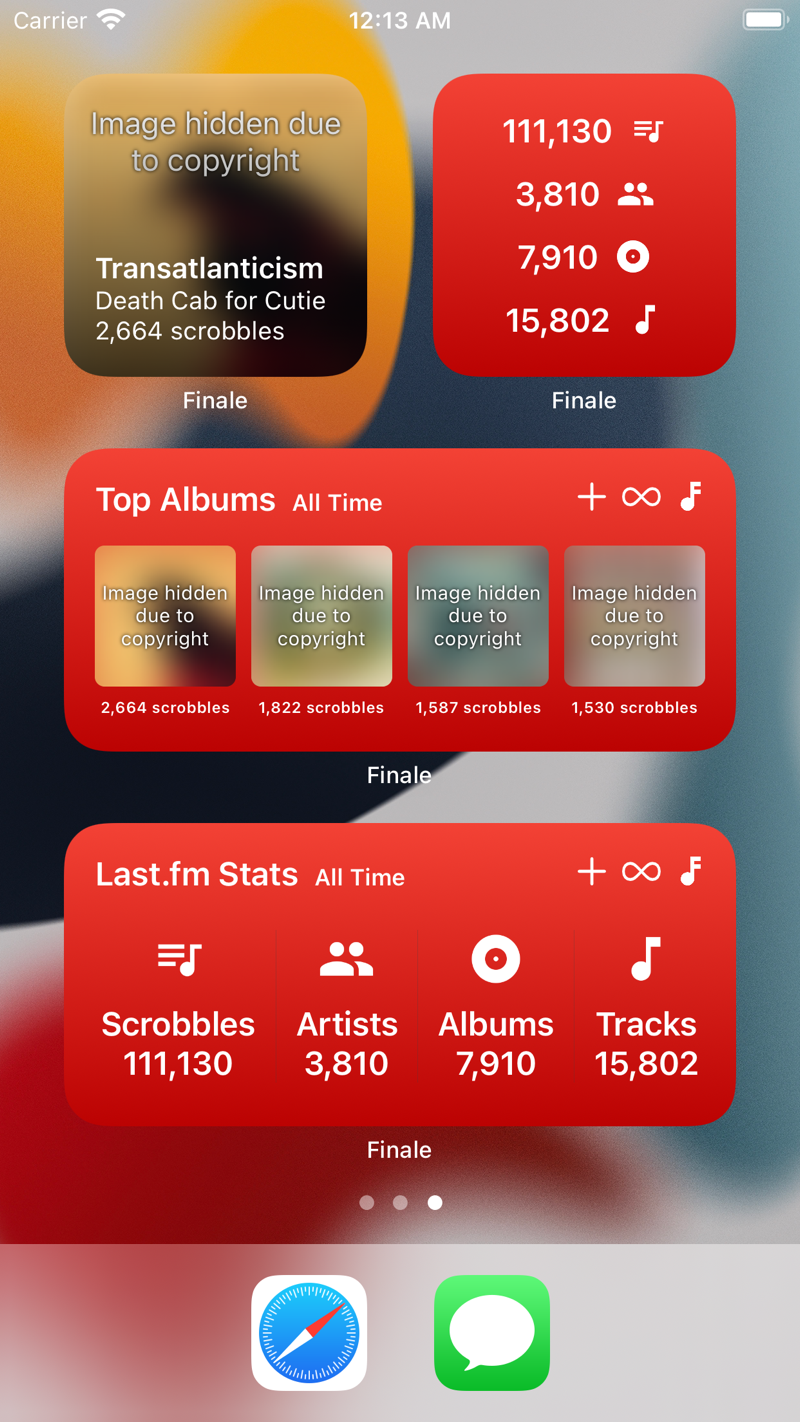
Apple Music does not connect to Last.fm directly. Last.fm's own iOS app offers to scan and submit scrobbles manually for Apple Music. A free client such as Finale adds background Apple Music scrobbling, though it says it submits them occasionally rather than live. Where it wins: a free, open, years-long log that follows you to any service. The catch: it starts on the day you set it up.
Apple Music Replay is not an app you install, but it is free and built in. See our Replay guide for what it shows and misses.
Compare the details
Prices below were checked in the US App Store on October 1, 2026. Ratings remain the September 27 snapshot. Some listings show several purchase amounts without naming their billing periods.
Open the full comparison table
| App | Stats on day one | History before install | Price | App Store rating |
|---|---|---|---|---|
| Listenality | Yes, from your library | Yes, via Apple's export | Free trial; about $2.92/month billed $34.99 yearly, or $4.99/month | Not recorded in this rating snapshot |
| stats.fm for Apple Music | Core stats, free | Yes, one-time import | Free to start. Listed Plus purchases range from $4.99 to $20.99; the public listing does not label their billing periods. | 3.7 (857 ratings) |
| PlayTally | No, counts from install | No | $2.99 once, with optional tips. No subscription. | 4.5 (381 ratings) |
| Song Stats for Apple Music | Yes, from Apple Music play counts | Not listed | Free to start. Premium is $1.99/month; permanent unlocks are listed at $4.99 and $7.99. Check which offer your app shows. | 4.4 (899 ratings) |
| musicat | Ongoing stats after connecting | Yes, with a paid plan | Free to start. PLUS: $2.99 or $11.99; PRO: $3.99 or $17.99; ULTRA: $4.99 or $23.99. The listing does not label billing periods. | 4.7 (267 ratings) |
| Last.fm with Finale | No, logs from setup | No | Finale and basic Last.fm scrobbling are free. | Finale 4.6 (993 ratings) |
How we compared these apps
We compared history coverage, ongoing tracking, the stats each app presents and price. Several apps fit the same need. We have not run a controlled accuracy test.
- Can it read history from before installation?
- How are new plays recorded, and what setup is needed?
- Which counts, charts and time ranges can you see?
- What is free, what costs extra, and how is it billed?
Prices were checked in the US App Store on October 1, 2026. The ratings are a September 27, 2026 snapshot. Where an in-app purchase has no billing period on the public listing, we report the amount without assigning one. Competitor screenshots were retrieved from their publishers September 30, 2026; the Listenality screen shows an example library.
Questions
What is the most accurate Apple Music stats app?
Accuracy depends on the data source and setup. Listenality uses device play counts and Apple’s recent-play feed; PlayTally builds a log through regular scans. Both have coverage limits. We have not run a controlled accuracy comparison. For older dated plays, compare tools that import Apple’s privacy export.
Is there a free Apple Music stats app?
Apple Music Replay is included with Apple Music. stats.fm, Song Stats and musicat are free to start; Finale and basic Last.fm scrobbling are free. Listenality has a free trial with no card, then keeps your Taste profile, reads, roast and cards as a frozen snapshot without Plus.
Can an app see my Apple Music history from before I installed it?
Yes. Listenality and stats.fm can import Apple’s privacy export, and musicat documents history import on a paid plan. Library play totals alone do not reconstruct when each play happened. PlayTally cannot reconstruct history from before installation. Follow our Apple Music export guide.
Is there a stats app for both Apple Music and YouTube Music?
Listenality supports both on iPhone, and YouTube Music on Android. YouTube provides no play-history API: import Google Takeout for older plays. Android can also track new YouTube Music plays after setup; iPhone uses fresh imports.
What is the difference between Apple Music play counts and listening history?
A library play count is a cumulative total for a song. Dated listening history records when playback events happened, which helps build stats for specific periods. A total alone cannot reconstruct those dates. Check whether an app uses library counts, recent plays or an imported history file.
Listenality supports Apple Music and YouTube Music on iPhone, and YouTube Music on Android.
Get ListenalitySources and checked dates
- stats.fm for Apple Music, App Store page (checked )
- PlayTally: Apple Music Stats, App Store page (checked )
- Song Stats for Apple Music, App Store page (checked )
- musicat: Music, Stats, Reviews, App Store page (checked )
- Finale for Last.fm, App Store page (checked )
- Last.fm, Track My Music (checked )
- How to get your Apple Music Replay, Apple Support (checked )
- musicat Apple Music tracking and history imports (checked )